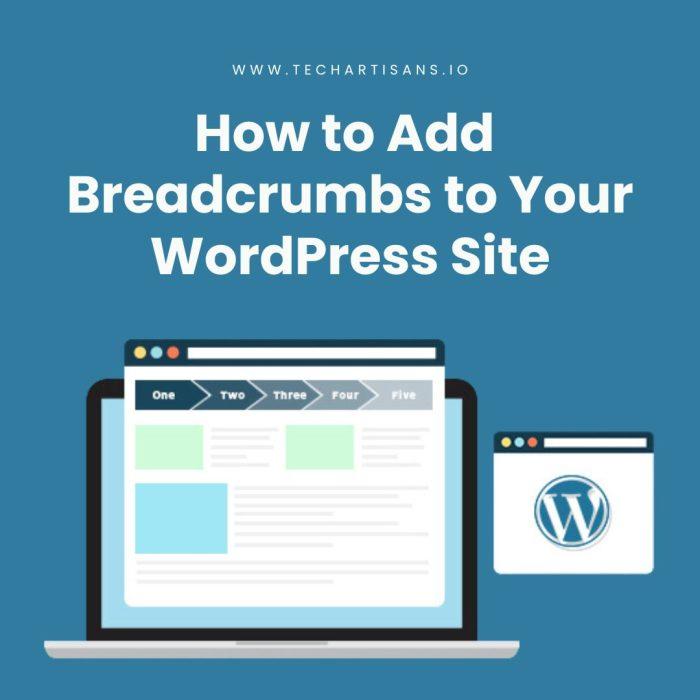
How to Add WordPress Breadcrumbs: The Complete Guide
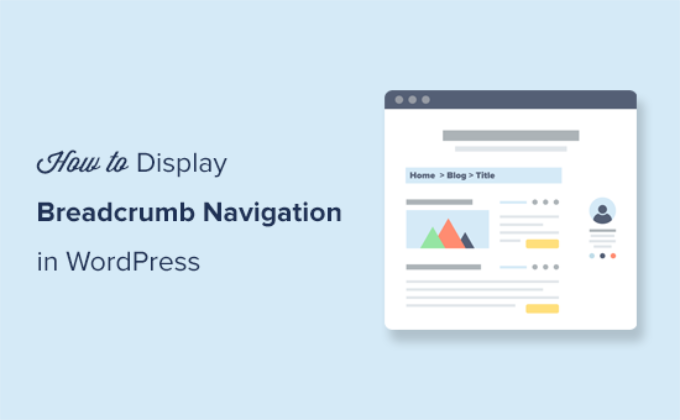
What Are WordPress Breadcrumbs?
If visitors can’t tell where they are on your site, they usually leave. So, adding WordPress breadcrumbs fixes that.
Basically, breadcrumbs are a row of clickable links near the top of a page. In particular, they show the path from your homepage to the page a visitor is viewing. For example: Home > Services > Medical Website Design.
Interestingly, the name comes from the Hansel and Gretel fairy tale, since a breadcrumb trail helps someone find their way back.
On WordPress, however, breadcrumb navigation is generated automatically from your category, tag, or page hierarchy. As a result, once it’s set up, the trail updates itself as you add new content — in other words, no manual work is needed.
At Web Dream Agency, we therefore add breadcrumbs to nearly every client site we build. After all, it’s a small change with a big SEO breadcrumbs payoff. Below, then, are four ways to add them yourself.
Why WordPress Breadcrumbs Matter
- Better UX — first, visitors instantly see their place in your site hierarchy. This matters most on content-heavy sites, where someone might land three or four levels deep from a Google search with no clear way to explore further.
- Lower bounce rate — additionally, clear internal navigation keeps users exploring instead of hitting the back button. In fact, when people know exactly where they are, they’re more likely to click deeper.
- SEO boost — furthermore, Google often shows breadcrumb trails in search results instead of a raw URL. As a result, a clean trail like “Home > Blog > SEO Tips” is more inviting to click.
- Crawlability — finally, breadcrumbs are internal links, so they give Googlebot an extra path to discover pages that sit several clicks from your homepage.
WordPress Breadcrumbs vs Main Navigation
At first glance, breadcrumbs and your main navigation menu look similar. However, they serve different purposes.
| Aspect | Breadcrumb Navigation | Main Navigation |
|---|---|---|
| Purpose | Shows current location in site hierarchy | Lets users jump to major sections |
| Position | Below header, above page title | Top of the page, always visible |
| Changes per page | Yes — updates with every page | No — usually static |
| SEO role | Reinforces internal linking and hierarchy | Defines primary site structure |
In short, breadcrumbs complement your main navigation rather than replace it. Together, they give visitors both a map and a “you are here” marker.
Before You Start
First, check your site’s category and page structure. Since WordPress breadcrumbs mirror your site hierarchy directly, a messy structure will, in turn, produce a messy trail.
So, spend five minutes organizing categories and parent pages first. As a result, this one step makes each of the methods below work more smoothly.
Comparing 4 Methods to Add WordPress Breadcrumbs
| Method | Best For | Coding Required | Cost |
|---|---|---|---|
| SEO Plugin (Yoast/Rank Math) | Most sites already using an SEO plugin | Minimal | Free |
| Built-in Theme Settings | Astra, Blocksy, OceanWP users | None | Free |
| Dedicated Breadcrumb Plugin | Sites without an SEO plugin | None | Free |
| Manual PHP Function | Lightweight, no-plugin sites | Yes | Free |
Method 1: Add WordPress Breadcrumbs with an SEO Plugin (Recommended)
If you already run an SEO plugin, you likely have a breadcrumb plugin feature built in already. So, no new install is needed.
Yoast SEO
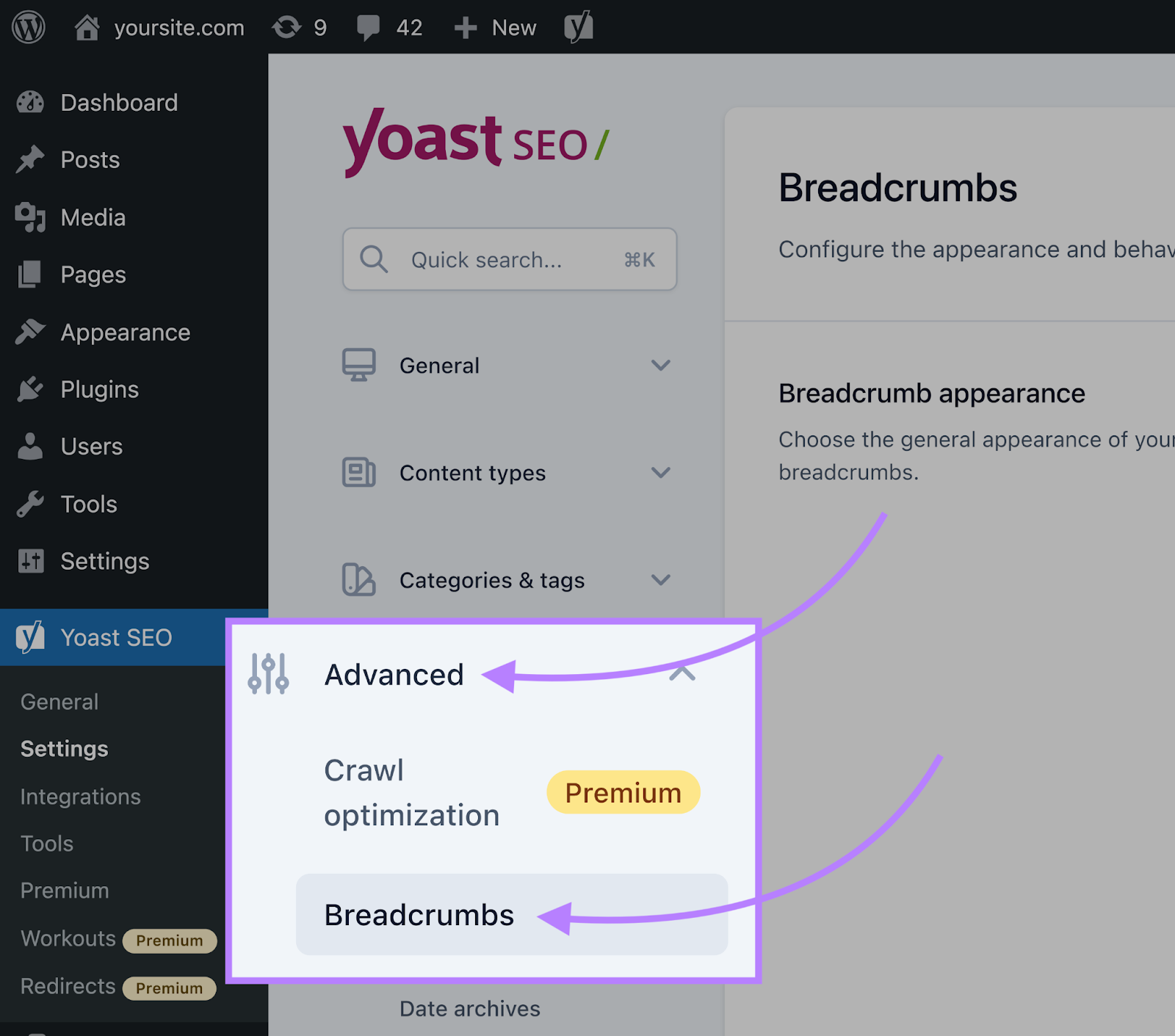
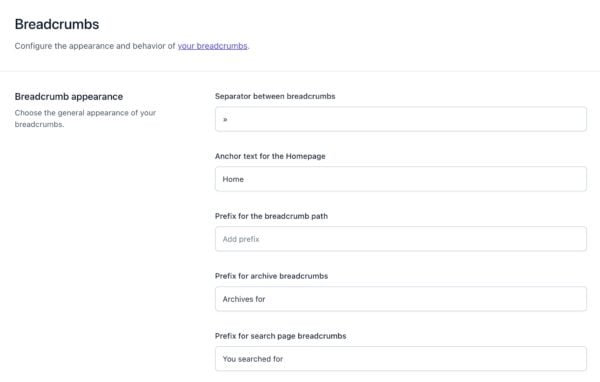
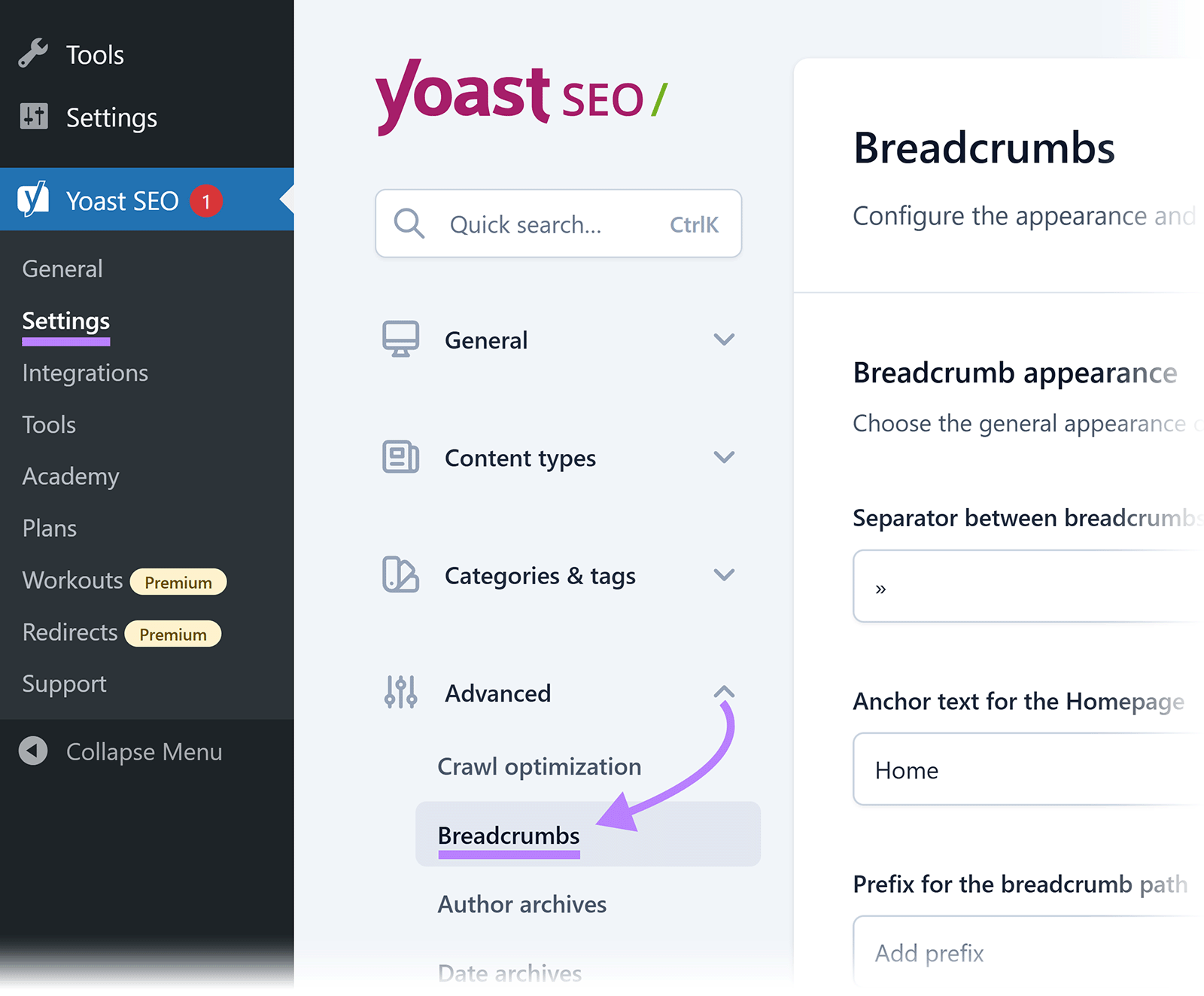
- First, go to Yoast SEO > Settings > Advanced > Breadcrumbs.

Example of WordPress breadcrumb navigation showing the path from the homepage to the current page. - Then, toggle Enable breadcrumbs for your theme to On.
- Next, set your separator and homepage text.
- Finally, if your theme doesn’t support it natively, add this to
header.php:
Essentially, this snippet checks whether Yoast’s breadcrumb function exists. If it does, it then prints the trail wrapped in a paragraph tag with the ID breadcrumbs — that is, the ID you’ll target later with CSS.
<?php
if ( function_exists('yoast_breadcrumb') ) {
  yoast_breadcrumb( '<p id="breadcrumbs">','</p>' );
}
?>
Alternatively, Yoast also offers a shortcode. So, you can drop it directly into a page without editing PHP files:
Home » Web Dream Agency Blog » Paste this shortcode into a Shortcode block wherever you want the trail to appear. In short, it’s the easiest option if you’re not comfortable editing theme files.
Rank Math SEO
- First, go to Rank Math > Dashboard and enable Advanced Mode.

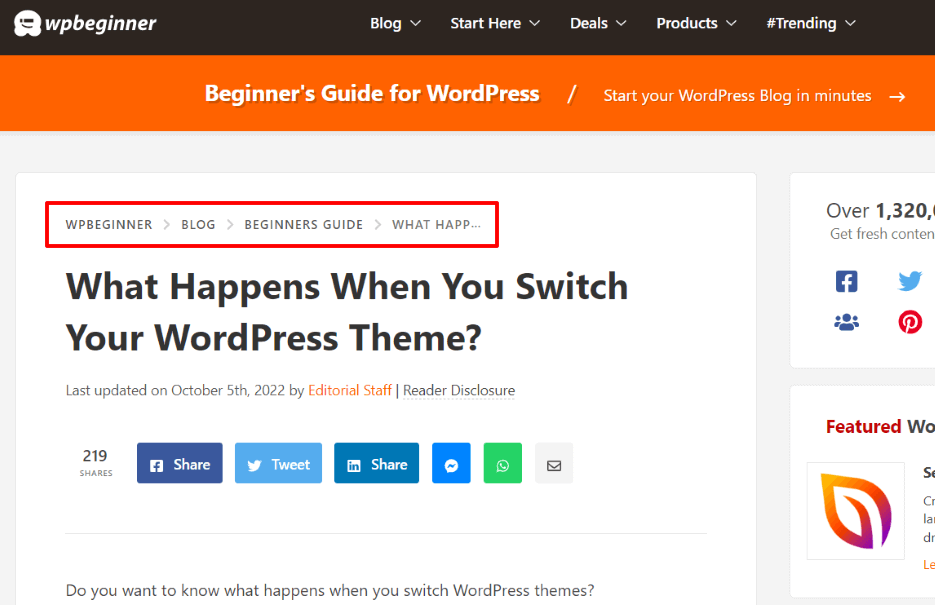
Example of WordPress breadcrumbs displayed above the page title to help visitors navigate the site’s hierarchy. - Then, navigate to General Settings > Breadcrumbs.
- Finally, click Enable Breadcrumbs, and copy the shortcode into your layout files.
Method 2: Add WordPress Breadcrumbs via Theme Settings
Meanwhile, many popular themes have breadcrumb toggles that automatically match your site’s existing styles. Therefore, no code is required.
- Astra: Appearance > Customize > Breadcrumb — toggle on, then pick a position.

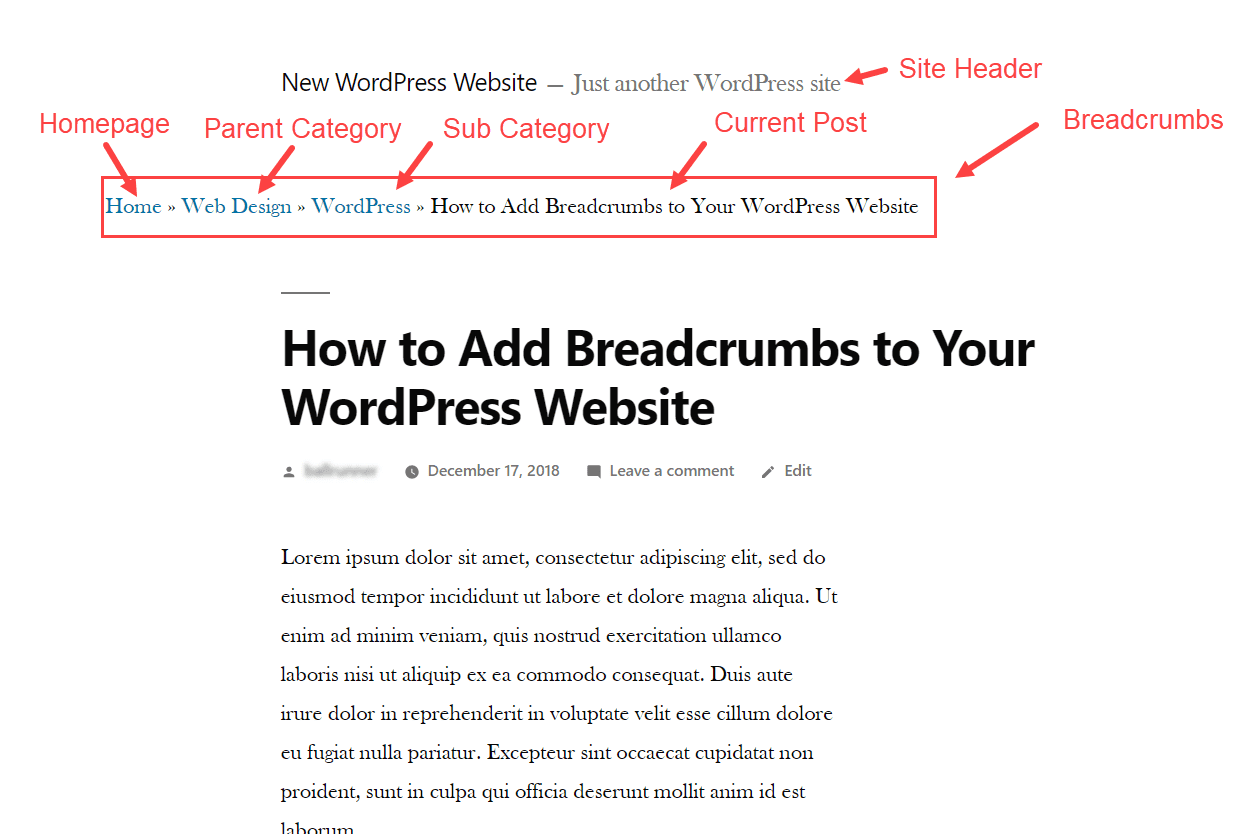
An example of a WordPress breadcrumb trail showing the navigation path from the homepage to the current post through parent and subcategories. - Blocksy: Appearance > Customize > General > Breadcrumb.
- OceanWP: Toggle in the customizer under page title or header settings.
Method 3: Use a Dedicated WordPress Breadcrumbs Plugin
If you don’t want a full SEO suite, on the other hand, a standalone breadcrumb plugin works just as well.
Breadcrumb NavXT
- First, install and activate Breadcrumb NavXT.
- Then, go to Settings > Breadcrumb NavXT to adjust templates.
- Finally, add the Breadcrumb Trail block in Gutenberg, or use the widget in any sidebar.

Yoast SEO Breadcrumbs settings page, where you can customize the breadcrumb separator, homepage label, and other navigation options.
WooCommerce Breadcrumbs
If you run an online store, in particular, WooCommerce breadcrumbs are especially useful for tracking product and category paths.
- First, install a WooCommerce Breadcrumbs plugin for product/category tracking.
- Then, configure it under Settings > WC Breadcrumbs.
Also, if you build pages with Elementor, Elementor breadcrumbs are available as a native Pro widget. Consequently, they work fine alongside WooCommerce breadcrumbs or your SEO plugin’s output.
Method 4: Add WordPress Breadcrumbs with Manual PHP
This method, however, suits developers comfortable editing theme files directly. Since a small mistake in functions.php can break your site, always back up first or use a child theme.
To start, add this custom function to your child theme’s functions.php. It first checks if the current page is the homepage; if not, it then prints a “Home” link, followed by the post’s category and title, separated by a » symbol:
function custom_breadcrumbs() {
    if (!is_home()) {
        echo '<a href="'.home_url().'">Home</a> » ';
        if (is_category() || is_single()) {
            the_category(', ');
            if (is_single()) {
                echo ' » ';
                the_title();
            }
        } elseif (is_page()) {
            echo the_title();
        }
    }
}
Afterward, place <?php custom_breadcrumbs(); ?> in header.php or single.php. This line, specifically, calls the function and prints the trail on the page.
WordPress Breadcrumbs in the Block Editor and Full Site Editing
If you’re using a Full Site Editing (FSE) theme like Twenty Twenty-Four, on the other hand, you can add breadcrumbs through the Site Editor instead of editing PHP files.
First, go to Appearance > Editor and open your header or single post template. Next, search “Breadcrumbs” in the block inserter — after all, Yoast and Rank Math both offer Gutenberg blocks. Then, place it where you want the trail, and save.
Overall, this approach suits newer WordPress users well, since it avoids touching theme code entirely.
CSS Example for Styling WordPress Breadcrumbs
Once your breadcrumbs are showing, you’ll naturally want to style them to match your site. For instance, this example sets a smaller font size, a muted gray text color, and a brand color for links, with an underline that appears only on hover:
#breadcrumbs {
  font-size: 14px;
  color: #666;
  margin: 10px 0;
}
#breadcrumbs a {
  color: #534AB7;
  text-decoration: none;
}
#breadcrumbs a:hover {
  text-decoration: underline;
}
Then, adjust the color and font-size to match your brand. Finally, paste this into Appearance > Customize > Additional CSS.
Schema Markup for WordPress Breadcrumbs
Essentially, breadcrumb schema — technically BreadcrumbList schema — tells Google to show your breadcrumb trail in search results instead of a plain URL.
Fortunately, both Yoast SEO and Rank Math add this schema automatically once breadcrumbs are enabled. So, no code is needed.
However, if you’re using the manual PHP method, you’ll need to add the BreadcrumbList schema yourself. Specifically, the JSON-LD snippet below defines each step as a numbered “ListItem” — that is, position 1 is the homepage, position 2 is the category, and so on. Finally, the last item, the current page, is left without a link:
<script type="application/ld+json">
{
  "@context": "https://schema.org",
  "@type": "BreadcrumbList",
  "itemListElement": [
    {"@type": "ListItem", "position": 1, "name": "Home", "item": "https://yoursite.com"},
    {"@type": "ListItem", "position": 2, "name": "Category", "item": "https://yoursite.com/category"},
    {"@type": "ListItem", "position": 3, "name": "Current Page"}
  ]
}
</script>
Afterward, place this snippet in your page’s <head>, or right before the closing </body> tag. Then, validate it with two official tools: Google’s Rich Results Test, to confirm Google can read it, and the Schema.org Validator, to confirm the markup itself is correct.
WordPress Breadcrumbs and Internal Linking
Since every breadcrumb link is also an internal link, breadcrumb navigation quietly strengthens your site’s internal navigation structure with zero extra effort.
Specifically, each page links back to its parent category and homepage. As a result, this:
- Helps search engines discover and crawl deeper pages faster.
- Passes link equity from high-authority pages, such as your homepage, down to category and product pages.
- Gives users an easy path to related content, which in turn can lower bounce rate.
For best results, therefore, pair breadcrumbs with a deliberate internal navigation strategy elsewhere in your content. For example, link relevant keywords to related posts or service pages as you write.
Common WordPress Breadcrumbs Mistakes to Avoid
- Linking the current page — the last breadcrumb item, for instance, should always be plain text, not a link.
- Inconsistent hierarchy — otherwise, keep your WordPress hierarchy logical before enabling breadcrumbs, or the trail will look confusing.
- Skipping schema markup — without BreadcrumbList schema, specifically, you lose the rich snippet display in search results.
- Overstyling — likewise, oversized fonts or bright colors make breadcrumbs compete with your main navigation.
- Forgetting mobile view — as a result, long trails can wrap awkwardly on small screens, so test and shorten labels if needed.
- Running two breadcrumb systems at once — for example, enabling both your theme’s built-in breadcrumbs and a plugin’s causes duplicate trails.
WordPress Breadcrumbs Best Practices
- Placement — first, put the trail between your main navigation and the page title. After all, that’s where users expect to find it.
- Don’t link the current page — also, the last item should be plain text. Otherwise, a link to the page you’re already on creates a pointless refresh loop.
- Keep separators simple — for instance, ›, », or / work best. In contrast, decorative icons clutter the trail and slow down scanning.
- Match your brand style — finally, breadcrumbs should feel native to your site, not bolted on. Usually, a quick CSS pass is enough.
WordPress Breadcrumbs FAQs
What are WordPress breadcrumbs?
Simply put, WordPress breadcrumbs are a secondary navigation trail showing a visitor’s path from the homepage to their current page.
Do breadcrumbs help SEO?
Yes — in fact, they clarify site structure for search engines and often appear directly in Google search results.
Do I need a plugin to add breadcrumbs?
No. Many themes have built-in support, and alternatively, you can also add them manually via PHP.
Which is better: Yoast or Rank Math for breadcrumbs?
Both work well. Yoast is simpler for beginners, whereas Rank Math offers more granular customization.
Will breadcrumbs slow down my site?
No. Since breadcrumbs are lightweight, they have negligible impact on load times.
Do breadcrumbs work with WooCommerce?
Yes, dedicated WooCommerce breadcrumbs plugins specifically handle product and category paths.
Should the current page be a clickable link in the trail?
No — instead, best practice is to leave the final item as plain text.
Do breadcrumbs replace my main navigation menu?
No — rather, they’re a complementary secondary navigation.
Are breadcrumbs mobile-friendly?
Yes, although long trails can wrap on small screens. Even so, most themes and plugins shorten or stack them automatically.
Can I disable breadcrumbs on specific pages?
Yes. Most SEO plugins let you hide breadcrumbs per page or post type, and similarly, you can wrap the PHP function in a conditional check for manual setups.
Do breadcrumbs work with Elementor?
Yes. Elementor Pro includes a native Breadcrumbs widget, and additionally, it works alongside breadcrumbs from Yoast, Rank Math, or Breadcrumb NavXT.
Which breadcrumb plugin is best?
If you already use Yoast or Rank Math, stick with their built-in breadcrumb feature — no extra plugin needed. Otherwise, if you don’t use an SEO plugin, Breadcrumb NavXT is the most reliable standalone option.
Conclusion
Overall, WordPress breadcrumbs are one of the easiest wins for both usability and SEO performance.
Whether you choose an SEO plugin, your theme’s built-in settings, a dedicated breadcrumb plugin, or a manual PHP function, ultimately, the result is the same: visitors navigate more easily, and search engines understand your WordPress hierarchy more clearly.
So, pick the method that fits your site, add BreadcrumbList schema where needed, and from there, your breadcrumb navigation will keep working quietly in the background.