
Professional WordPress Website Design for Small Businesses, Doctors & Clinics: A Complete Guide
Professional WordPress website design is essential for small businesses, doctors, and clinics that want to build credibility and attract more customers or patients online. In today’s digital-first world, your website is often the first impression potential customers and patients have of your services.
Furthermore, WordPress has become the go-to platform for building websites that are both powerful and easy to manage. This comprehensive guide walks you through everything you need to know about professional WordPress website design for small businesses, doctors, and clinics.
Why Professional WordPress Website Design Is the Best Choice for Small Businesses and Healthcare Providers
WordPress powers nearly 43% of all websites on the internet, making it the most popular content management system globally. However, what makes WordPress particularly suitable for small businesses, doctors, and clinics goes deeper than mere statistics.
Affordable WordPress Solutions
Small businesses operate on tight budgets. Building a website from scratch using custom code can cost thousands of dollars. Consequently, WordPress eliminates this barrier. With WordPress, you can launch a professional website for a fraction of that cost. You only need to pay for hosting, a domain name, and premium themes or plugins if desired. This makes it an accessible solution for startups and established businesses alike.
Similarly, for medical practices and clinics, cost-effectiveness is equally important. Many healthcare providers are looking to digitize their practices without breaking the bank. Moreover, WordPress offers hospital website design solutions and clinic management integrations without premium pricing.
Easy WordPress Website Management
One of WordPress’s greatest strengths is its user-friendly interface. Notably, you don’t need to be a programmer to create, edit, or publish content. The dashboard is intuitive, allowing doctors, clinic managers, and business owners to update their websites independently—whether that’s posting new services, updating staff information, or sharing patient testimonials.
This democratization of web design is precisely why small business website design has become so accessible. In fact, you can manage your site’s content while leaving the technical aspects to professionals.
SEO-Friendly Professional WordPress Website Design
WordPress is built with search engine optimization (SEO) in mind. The platform’s clean code, customizable permalinks, and straightforward structure make it easier for Google to crawl and index your site. Additionally, when combined with SEO plugins like Yoast SEO and Rank Math, WordPress becomes a powerhouse for organic visibility.
For healthcare providers specifically, appearing in local search results is critical. Indeed, patients search for terms like “doctors near me” or “best clinics in [city].” Therefore, a properly optimized WordPress site ensures you show up when potential patients are actively searching.
Professional WordPress Website Design for Small Businesses: Key Considerations
When designing a WordPress site for a small business, several factors determine success or failure. Clearly, these considerations go beyond mere aesthetics.
Responsive Website Design
Over 60% of web traffic now comes from mobile devices. Therefore, your WordPress website must look perfect on smartphones, tablets, and desktops. Responsive design automatically adjusts your site’s layout, images, and content to fit any screen size.
Conversely, without responsive design, you’re essentially abandoning potential customers who browse on mobile. Additionally, Google also prioritizes mobile-friendly websites in search rankings, so this directly impacts your SEO performance.
Professional WordPress theme providers ensure responsiveness as a baseline. When selecting themes or hiring a web design agency, always verify that mobile optimization is included.
Why Website Speed Matters in Professional WordPress Website Design
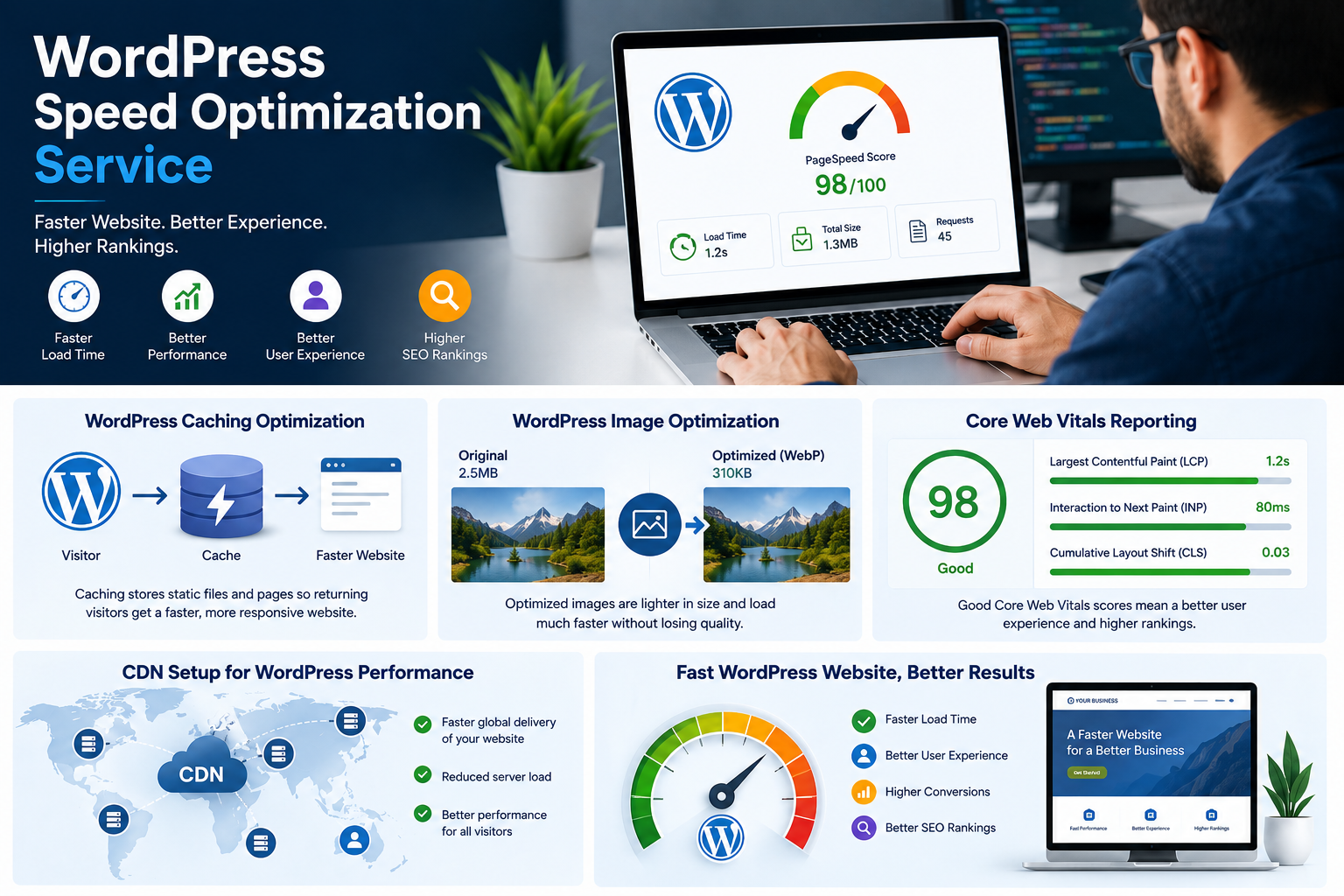
Website speed influences both user experience and search rankings. In fact, studies show that pages taking more than 3 seconds to load see significantly higher bounce rates. For small businesses, this means lost sales and leads.
Unfortunately, WordPress can be slow if not properly optimized. Consequently, image compression, caching plugins, and reliable hosting are essential. Notably, a professional website designer knows these optimization techniques and implements them automatically.
WordPress Website Design Security Best Practices
Small businesses and healthcare providers are prime targets for hackers. HIPAA compliance for medical websites, PCI-DSS for eCommerce sites, and general data protection are non-negotiable.
WordPress requires regular updates, strong passwords, and security plugins. Furthermore, if you’re running a clinic or medical practice storing patient information, security isn’t optional—it’s a legal requirement.
Professional WordPress Website Design for Doctors and Medical Clinics
Healthcare websites have unique requirements. Patients need reassurance, clear information, and easy appointment booking. Let’s explore what makes a medical website successful.
Essential Features for Medical Websites
A professional clinic or hospital website should include:
Doctor and Staff Profiles – Patients want to know who’s treating them. Therefore, include professional photos, credentials, specializations, and patient testimonials. This builds trust immediately.
Online Appointment Booking – Modern patients expect to book appointments online. Consequently, integrating appointment scheduling systems eliminates back-and-forth calls and reduces no-shows.
Detailed Service Pages – Each medical service deserves its own page explaining what it is, why it’s important, and how the procedure works. As a result, this educates patients and improves SEO.
Patient Testimonials and Reviews – Social proof is powerful in healthcare. Moreover, displaying real patient reviews and testimonials on your clinic website design builds credibility.
Clear Contact Information and Hours – Nothing frustrates patients more than trying to find basic information. Therefore, make your location, phone number, hours, and directions immediately visible.
HIPAA-Compliant Contact Forms – If collecting patient information, ensure forms meet HIPAA requirements for privacy and security.
Local SEO for Medical Practices
Patients searching for medical services typically include location in their search. For example, “Dentist in [City]” or “Best orthopedic surgeon near me” are common search queries.
To dominate local search results, consider these strategies:
- Claim and optimize your Google Business Profile with accurate information, professional photos, and regular updates
- Create location-specific service pages if operating multiple clinics
- Include local keywords naturally throughout your content—for instance, “Emergency dental clinic in Brooklyn”
- Build local backlinks by getting listed on healthcare directories and partnering with other local businesses
- Collect patient reviews on Google, Healthgrades, and Yelp to improve local search visibility
Consequently, a professional WordPress website for doctors incorporates these local SEO strategies to ensure patients in your area find you first.
Medical Website Design Best Practices
Beyond functionality, medical websites must communicate professionalism and compassion. Notably, here’s what sets excellent clinic websites apart:
Clean, Professional Design – Healthcare websites should feel trustworthy. Therefore, avoid cluttered layouts, excessive graphics, or trendy designs that may feel unprofessional. Generally, doctors’ websites typically use calming colors, professional typography, and plenty of white space.
Educational Content – Patients are often anxious or uninformed about their conditions. Consequently, blog posts explaining common health issues, treatments, and preventative care establish your clinic as a trusted authority. Additionally, this also generates organic traffic through search engines.
Accessibility Compliance – Many patients have visual or hearing impairments. Therefore, your website should meet WCAG accessibility standards, including alt text for images, readable fonts, and keyboard navigation.
Trust Signals – Display certifications, memberships, awards, and accreditations prominently. Moreover, links to verify credentials add authenticity.
When working with a medical website design service, always ensure these best practices are included.
Professional WordPress Website Design for Clinics: Implementation Strategies
Clinics operate differently from private doctor practices. Clearly, multi-doctor facilities, administrative complexity, and patient management systems require specialized approaches.
WordPress Website Design for Multi-Doctor Clinics
Clinics often have multiple doctors, specialists, and staff members. Therefore, your WordPress website should have:
- Individual profile pages for each doctor with schedules
- Specialty departments with dedicated pages
- Staff directory showing roles and contact information
- System for doctors to manage their own profiles (with appropriate access controls)
WordPress user roles and permissions allow each team member to manage their content without accessing sensitive areas.
Integrating Practice Management Software with WordPress Websites
Many clinics use practice management systems for scheduling, billing, and patient records. Importantly, your WordPress website can integrate with these systems through APIs or plugins, creating a seamless patient experience.
For example, a patient can view available appointment times directly on your website (pulled from your practice management system) and book without manual confirmation.
Patient Portal in Professional WordPress Website Design
Some advanced clinic websites include patient portals where existing patients can view records, refill prescriptions, or send secure messages to their doctors. While this requires custom development, it significantly improves patient satisfaction and retention.
Common Mistakes in WordPress Website Design (And How to Avoid Them)
Many small businesses and clinics launch WordPress sites that underperform. Here are the most common mistakes:
WordPress Website Design Navigation Best Practices
Visitors should find any page within 2-3 clicks. Consequently, confusing navigation frustrates users and increases bounce rates. Clearly, a professional WordPress website has clear, intuitive navigation menus and logical site hierarchy.
WordPress Website Design Content Optimization
WordPress makes it easy to create pages, but many businesses fill them with vague, generic content. For instance, “Welcome to our clinic” doesn’t rank in Google or convert visitors. In contrast, detailed, specific content that answers patient questions performs significantly better.
Local SEO in Professional WordPress Website Design
Many small businesses create WordPress sites without optimizing for local search. However, ranking nationally is difficult; ranking locally is achievable. Therefore, ignoring this opportunity leaves money on the table.
Fast Professional WordPress Website Design
Installing too many plugins, using unoptimized images, or choosing poor hosting creates slow websites that lose visitors and ranking positions. As a result, professional WordPress design includes performance optimization from the start.
Mobile-Friendly Professional WordPress Website Design
As mentioned earlier, over 60% of traffic is mobile. Unfortunately, a website that looks fine on desktop but is unusable on phones will fail. Therefore, always test thoroughly on devices before launching.
Professional WordPress Website Design Security
Using weak passwords, ignoring updates, or storing sensitive data insecurely can lead to breaches. Significantly, clinics and medical practices face serious legal consequences for data breaches.
The WordPress Website Design Process: What to Expect
If you’re planning to hire professionals for your WordPress website, understanding the design process helps you make informed decisions.
Discovery and Planning Phase
A professional web design agency starts by understanding your business, goals, target audience, and competition. Notably, for doctors and clinics, they’ll explore what patients want to see and how competitors are performing.
This phase includes keyword research for SEO, competitive analysis, and strategy development.
Design and Development
Based on discoveries, designers create wireframes and mockups showing the website layout. Subsequently, once approved, developers build the functional website using WordPress, custom code where necessary, and integration of needed plugins.
For professional website design services, this phase typically takes 2-6 weeks depending on complexity.
Content Creation and Optimization
Many small businesses and clinics have content ready, but it may need optimization. Consequently, professional copywriters rewrite content for clarity, keyword optimization, and conversion. Blog posts, service descriptions, and landing pages are all carefully crafted.
Testing and Launch
Before going live, websites undergo thorough testing:
- Does it work on all devices and browsers?
- Do forms submit correctly?
- Are all links working?
- Is it fast enough?
- Does it meet SEO standards?
Only after passing these tests does your website launch.
Ongoing Maintenance and Updates
A professional WordPress website requires regular maintenance: security updates, backup monitoring, performance optimization, and content updates. Therefore, many agencies offer ongoing support packages for this reason.
Choosing the Right WordPress Hosting and Theme
Two critical decisions impact your website’s success: hosting and theme selection.
Best Hosting for Professional WordPress Website Design
Your hosting provider significantly affects website performance, security, and reliability. Therefore, for small businesses and clinics, consider:
- Uptime guarantee – At least 99.9% uptime ensures your site is always available
- Speed and performance – Look for hosts with SSD storage, caching, and content delivery networks (CDNs)
- Security features – Automatic backups, malware scanning, and SSL certificates are essential
- Support quality – 24/7 support is important when issues arise
- Scalability – As your business grows, your hosting should scale with you
Choosing a Professional WordPress Website Theme
WordPress themes control your website’s appearance and functionality. Overall, there are several options to consider:
Multipurpose Themes – Themes like Divi, Elementor, and Avada work for any business type. Notably, they’re flexible and budget-friendly.
Industry-Specific Themes – Healthcare websites, for example, have themes built specifically for medical practices with appointment booking, doctor profiles, and medical-relevant layouts included.
Custom Themes – For unique requirements, custom themes built specifically for your business offer maximum flexibility but cost more.
A professional web design agency selects themes strategically based on your specific needs, not just popularity.
SEO Optimization for WordPress Websites
Launching a WordPress website is just the beginning. Clearly, long-term success requires ongoing SEO attention.
Technical SEO for Professional WordPress Website Design
- XML Sitemaps – Automatically generated, these help Google discover all your pages
- Robots.txt Optimization – Controls what search engines can crawl
- Canonical Tags – Prevents duplicate content issues
- Structured Data Markup – Helps search engines understand your content (especially important for clinics with doctor profiles and service offerings)
On-Page SEO for Professional WordPress Website Design
Each page should target a specific keyword or phrase. Include the keyword in:
- Title tag (60 characters or less)
- Meta description (155 characters or less)
- H1 heading
- First 100 words of content
- Subheadings naturally
- Image alt text
This keyword optimization helps search engines understand what your page is about.
Content Strategy for Professional WordPress Website Design
A regular blog addressing patient questions, common concerns, and health topics establishes authority and generates organic traffic. For instance, for a dermatology clinic, blog posts about “how to treat acne,” “skin cancer prevention,” or “best treatments for aging skin” attract potential patients searching these terms.
WordPress makes blogging simple, but consistency matters. Therefore, a professional content strategy includes a publishing schedule, keyword research, and quality standards.
Link Building for Professional WordPress Website Design
Google considers backlinks (links from other websites to yours) as votes of confidence. Consequently, building authority takes time, but strategies include:
- Writing high-quality content that others want to link to
- Getting listed on healthcare directories (for clinics)
- Guest posting on related industry sites
- Building relationships with other local businesses
For detailed information on improving your website’s SEO performance, consult with SEO specialists.
Measuring Success: Analytics and Conversion Tracking
A beautiful website without measurable results is just a digital brochure. Therefore, track what matters:
Key Metrics to Monitor
Traffic – How many people visit your site and where do they come from? Google Analytics shows this clearly.
Bounce Rate – The percentage of visitors who leave without taking action. Notably, high bounce rates indicate poor-performing pages.
Time on Page – How long visitors spend reading. Generally, longer engagement usually indicates valuable content.
Conversion Rate – The percentage of visitors who complete your desired action: appointment bookings, contact form submissions, or purchases.
Setting Up Conversion Tracking
For clinics, conversion might be appointment bookings. Similarly, for eCommerce businesses, it’s product purchases. Therefore, set up conversion tracking to understand which pages and traffic sources drive results.
This data informs optimization decisions. For instance, if a page has high traffic but low conversions, it needs improvement. Conversely, if a page drives conversions with minimal traffic, invest in getting more traffic to it.
The Investment in Professional WordPress Website Design
How much does professional WordPress website design cost? This depends on complexity and features, but understanding typical pricing helps budget accurately.
Website Design Cost Ranges
Budget Option ($2,000 – $5,000) – Using pre-made themes with minimal customization. This option is good for very small businesses just needing an online presence.
Mid-Range ($5,000 – $15,000) – Custom design, professional copywriting, SEO optimization, and basic functionality integration. Generally, this option is suitable for most small businesses and clinics.
Premium ($15,000 – $50,000+) – Highly customized design, complex functionality, advanced integrations, and comprehensive SEO strategy. Clearly, this option is for businesses requiring specialized features.
eCommerce and Membership Sites – These typically range from $10,000 to $100,000+ depending on catalog size and complexity.
A professional WordPress website design agency provides transparent pricing based on your specific needs.
Ongoing Professional WordPress Website Design Costs
Beyond initial design, plan for:
- Hosting – $10-50/month depending on provider
- Domain – $10-15/year
- SSL Certificate – Often free with quality hosting
- Premium Plugins – $0-500+/year depending on features
- Maintenance and Support – $100-500/month for professional ongoing management
These ongoing costs are investments in keeping your site secure, fast, and current.
Conclusion: Transform Your Business with Professional WordPress Website Design
In 2024, a professional WordPress website isn’t a luxury—it’s a necessity. Whether you’re a small business owner, doctor, or clinic manager, your website is often the first impression potential customers and patients have of your business.
A professional WordPress website delivers:
- Professional first impression that builds trust and credibility
- Improved search visibility bringing organic traffic from potential customers
- Better patient/customer experience with mobile optimization and intuitive navigation
- Measurable results through proper tracking and analytics
- Competitive advantage over businesses with outdated or poorly designed sites
The investment in professional WordPress website design pays for itself through increased visibility, patient bookings, and customer inquiries.
Ready to transform your online presence? The right WordPress website, built by professionals who understand your industry, can revolutionize your business growth. Whether you need a simple business card website or a complex clinic management portal, WordPress combined with professional design expertise delivers results.
Start your WordPress website journey today with experienced professionals who understand small business and healthcare needs. Your future patients and customers are searching right now—make sure they find you.
Key Takeaways
- WordPress is ideal for small businesses, doctors, and clinics because it’s affordable, user-friendly, and SEO-friendly
- Medical websites require special considerations including HIPAA compliance, appointment booking, and local SEO
- Professional design includes responsive mobile optimization, fast loading speeds, and strong security
- SEO optimization is essential for ranking in search results and attracting organic traffic
- Ongoing maintenance and content updates keep your website performing well long-term
- Measured results through analytics ensure your website delivers real business value
Ready to launch or redesign your WordPress website? Contact our web design team for a free consultation about your specific needs.